Digital brochures,
from the PDF you have.
A digital brochure is a brochure people read on a screen, opened from a link, QR code or your website instead of picked up from a rack. To make one, upload the brochure PDF you already have to a flipbook maker like FlipWild, add buttons and photos, then share it. Making and previewing is free. Publishing starts at $15 a month billed yearly, or $29 once for a single brochure.
Updated November 28, 2026
What a digital brochure is
A digital brochure (also called an electronic brochure, e-brochure or online brochure) is your brochure at a web address. Someone taps a link or scans a code, and the pages open in their browser on a phone or a computer. There's nothing to download and no printing.
Most businesses already have the brochure as a PDF from the print run. Emailing that PDF works, but it's a heavy attachment, it's small on a phone, and once it's sent you can't change it or see whether anyone read it. Turning the same PDF into a page-turning flipbook keeps your design as it is and adds three things: one light link, pages that turn on any screen, and a reading report.
FlipWild doesn't design brochures. It takes the PDF you made in your own design tool and turns it into a flipbook. If you don't have a brochure yet, our design help is a paid service where a designer writes and lays out the pages with you ($25 a page).
Digital brochure examples by business type
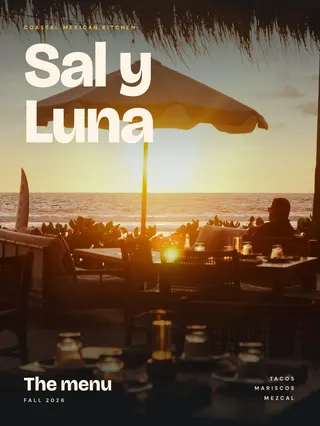
The same tools work for any brochure, but each kind of business tends to use them a little differently. Here's how a digital brochure usually fits.
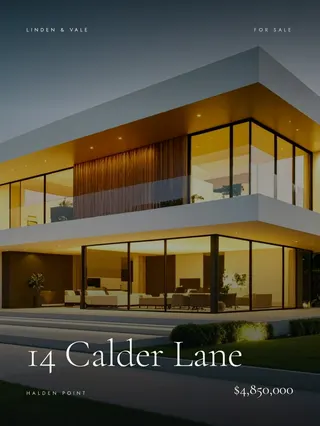
- Real estate. A listing brochure with room photos, a floor plan and a Book a showing button linked to your calendar, phone or email. A before and after slider (Plus and up) shows a renovated kitchen against the old one. On Pro you can show it at your own address, like listings.yourbrokerage.com. See the real estate example.
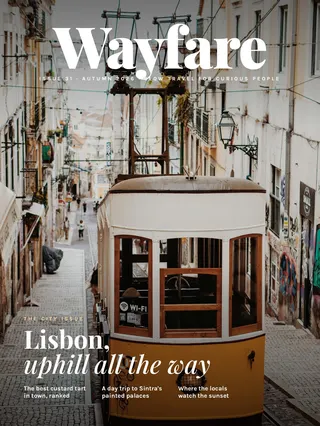
- Travel and lodging. A lodge, inn or tour brochure with a photo gallery on every room or stop and a Check availability button linked to your booking engine. Video of the place plays right on the page (Pro and up). Our brochure example is a lodge brochure built this way.
- Event venues. A wedding or event venue brochure with packages printed on the pages. With options and a live total (Pro and up), couples tick the extras they want and see the total as they go. Turn on Accept and sign and they can sign for their choices in the brochure; FlipWild doesn't take deposits, so you send your own invoice after.
- Services. A contractor, salon, clinic or studio brochure with a Call or Book button at the top, before and after sliders for past work, and an email form (Pro and up) so readers can ask to be contacted.
How to turn a print brochure into a digital brochure
- Export the PDF. From the file you sent to the printer, export a PDF of single pages with links kept on. Drop crop marks and bleed if your tool adds them. FlipWild takes PDFs up to 200 MB and 500 pages.
- Upload it. The pages are made in your browser. On a phone, pick the file from Files, Google Drive, Dropbox or a mail attachment.
- Check the links. Web links, email links and page jumps in the PDF keep working. Draw a box over a phone number, a "Book now" line or a price to add more.
- Add the extras. See the next section.
- Preview it free. Turn the pages on your phone and your computer. You can make a 7-day preview link to send to a partner or client before it goes live.
- Publish. You get a link, an embed code and a QR code.
For more on preparing the file, see how to turn a PDF into a flipbook.
What to add to a digital brochure
These sit on top of your printed pages, so the design doesn't change.
- A button at the top with your own label and a link, email address or phone number. "Check availability", "Book a call" or "Get a quote". Every plan.
- Links and page jumps drawn on any page. Every plan.
- Before and after sliders on a photo, so readers drag a line to compare. Plus and up.
- Your logo and name on the flipbook, with the FlipWild badge removed. Plus and up.
- Photo galleries, video and animations on any page. Pro and up.
- An email form before, during or after reading, with the emails in your report. Pro and up.
- Options with a live total and Accept and sign, for packages and quotes. Pro and up.
Search, zoom, a table of contents and full screen come with every plan.
How to share a digital brochure, and see who read it
- Link. Send it in a text or an email reply, or put it in your link in bio or email signature.
- Embed. Paste the embed code into your website and the brochure turns its pages on your own page.
- QR code. Print it on a sign, a business card, a table tent or the back cover of the print brochure.
- Email. Put the cover and the link in any email tool, or send it to your list with MailWild, our sister product.
Every plan shows readers and link taps for each brochure, so you can see whether people tapped Book. Pro adds reads by page, time on page, who read to the end and tracking links for each place you share. When prices or dates change, upload the new PDF: the link, embed, QR code and stats stay the same, so printed QR codes keep opening the current brochure. Want it private for one client? Make it unlisted, or use a password on Business.
What a digital brochure costs
Making, editing and previewing are free. To publish:
- Buy just one, $29 once. One brochure with text and images only: no web links, buttons or video, and the PDF can't be replaced. You can download it to keep, and it's hosted on a FlipWild link with embed and QR code for 30 days. It suits a simple brochure for a single event.
- Starter, $15 a month billed yearly ($19 month to month): 2 brochures, links, the top button, embed, QR code and the reading report, with a small "Made with FlipWild" badge.
- Plus, $32 a month billed yearly: 12 flipbooks, your logo, before and after sliders.
- Pro, $74 a month billed yearly: 50 flipbooks, galleries, video, the email form, options with a live total and your own web address.
There's no free publishing plan and no trial. Full details are on the pricing page.
Questions
What is a digital brochure?
A digital brochure is a brochure people read on a screen, opened from a link, QR code or website. It can have buttons, photos and video, and you can update it after sharing.
What is the difference between an electronic brochure and a PDF brochure?
A PDF brochure is a file people download. An electronic brochure opens in the browser at a link, turns its pages on any screen, and can show who read it and what they tapped.
How do I create a digital brochure?
Design the brochure in your usual tool and export a PDF, then upload it to a flipbook maker like FlipWild, add links and buttons, preview it, and publish to get a link, embed code and QR code.
Can FlipWild design my brochure?
FlipWild turns a finished PDF into a flipbook and doesn't design it for you. Design help is a paid service with a designer, at $25 a page.
Can I make a digital brochure for free?
With FlipWild you can make and preview it free, but publishing needs a plan from $15 a month billed yearly or Buy just one for $29 once.
Where can I see digital brochure examples?
Open flipwild.io/examples/brochure for a live lodge brochure, or flipwild.io/examples/real-estate for a property brochure.