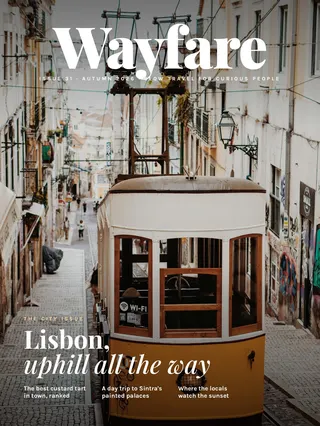
PDF to flipbook
in five steps.
To turn a PDF into a flipbook, upload the PDF to a flipbook maker, check its pages and links, preview it, then publish to get a link, an embed code and a QR code. In FlipWild, uploads can be up to 200 MB and 500 pages, links in the PDF keep working, and making and previewing is free. Publishing starts at $15 a month on yearly billing, or $29 once for a single flipbook.
Updated November 4, 2026
How to turn a PDF into a flipbook, step by step
- Upload the PDF. Pick the file from your computer, or on a phone from Files, Google Drive, Dropbox or a mail attachment. FlipWild turns the PDF into pages in your browser, then saves them.
- Check the pages and links. Web links, email links and page jumps already in the PDF keep working. You can draw more links and page jumps on any page, and add a table of contents if your PDF has no bookmarks.
- Preview it for free. Turn the pages, try the search and zoom, and look at it on your phone. Making, editing and previewing cost nothing.
- Publish to get a link. Publishing needs a plan or Buy just one. Once it's published, the flipbook has a working link.
- Share it. Copy the link, paste the embed code into your website, or download the QR code for print. See how to embed a flipbook for where the code goes on common site builders.
That's the whole job for most PDFs. The reader handles the rest: page turns, search, zoom, bookmarks, full screen, one page at a time with a swipe on phones, and two-page spreads on computers.
What makes a good flipbook PDF
Any PDF will turn into a flipbook, but a few choices before you export make the result nicer to read.
- Stay within the limits. FlipWild takes PDFs up to 200 MB and 500 pages on every plan. If your file is bigger, export with compressed images or split it into two books.
- Export single pages. The reader pairs pages into spreads on a computer and shows one page at a time on a phone, so a PDF of single pages works well on both.
- Keep the same page size throughout. Matching pages look tidier side by side as spreads. Put the cover first, since it is the first thing readers see.
- Keep links and bookmarks on when you export. Most design tools have a setting for this. Links in the PDF carry over to the flipbook, and PDF bookmarks become the table of contents.
- Think about phones. On a phone, readers see one page at a time and can zoom. Text that is readable on a single printed page usually reads fine.
No PDF yet? Our design help can write and lay out the pages with you.
Free PDF to flipbook options, and their catches
There are free ways to turn a PDF into a flipbook, and some are good. Each has a trade-off. As of November 2026, from each company's pricing page:
- Heyzine has a free Basic plan with 5 flipbooks, unlimited pages, no ads and password protection. Its FAQ says it shows a Heyzine logo in the corner of the viewer.
- Flipsnack has a free plan with 5 flipbooks of up to 15 pages each, with Flipsnack branding on links and embeds.
- FlipHTML5 has a free plan whose FAQ lists ads on the books, a FlipHTML5 watermark and no link detection.
- Issuu has a free Basic plan with 5 published documents, 10 pages per upload and 50 MB files. Embedding on a website starts at its paid Starter plan.
- Simplebooklet has a free plan with 2 active booklets, 50 pages, 25 MB uploads and up to 1,000 opens.
FlippingBook, Publuu and Paperturn have no free plan but offer 14-day free trials. For a fuller list, see our guide to free flipbook makers.
What it costs with FlipWild
FlipWild doesn't have a free plan that publishes, a free trial or a money-back guarantee. Instead, making, editing and previewing are free, and you pay only when you want a flipbook live.
- Starter: $15 a month billed yearly ($180), or $19 month to month. 2 published flipbooks, with a small Made with FlipWild badge.
- Plus: $32 a month billed yearly, or $42 month to month. 12 flipbooks, your logo and name, the badge removed, 2 people.
- Pro: $74 a month billed yearly, or $99 month to month. 50 flipbooks, plus video, lead forms, Advanced Analytics and your own web address.
- Business: $149 a month billed yearly, or $199 month to month. Unlimited flipbooks, password protection and protected embeds.
- Buy just one: $29 once, no subscription. One flipbook with text and images only (no web links, buttons or video, and the PDF can't be replaced). You can download it to keep forever, and it is hosted on a FlipWild link with embed and QR code for 30 days.
Full details are on the pricing page.
After you publish
A flipbook keeps working after you share it, even when the PDF changes.
- Replace the PDF any time. The link, embed code, QR code and reading stats stay the same, so a printed QR code keeps pointing to the newest version.
- See who read it. The reading report shows readers and link taps for each flipbook. Pro adds reads by page, time on page and who read to the end.
- Choose who finds it. Public flipbooks include a text version of every page that search engines can read. Unlisted flipbooks open only for people with the link and are skipped by search engines.
Want to see one first? Open our catalog example on your phone.
Questions
Can I turn a PDF into a flipbook for free?
Yes, with a free plan from makers like Heyzine, Flipsnack, FlipHTML5, Issuu or Simplebooklet, each with limits such as a logo, ads or page caps, as of November 2026. With FlipWild, making and previewing is free, and publishing starts at $15 a month on yearly billing or $29 once.
Do the links in my PDF still work in the flipbook?
Yes. In FlipWild, web links, email links and page jumps in your PDF keep working, and you can draw more on any page. Buy just one is the exception: it shows text and images only.
How big can my PDF be?
FlipWild takes PDFs up to 200 MB and 500 pages on every plan.
Can I update the flipbook after I share it?
Yes. Replace the PDF and the link, embed code, QR code and reading stats stay the same.
Can I make a flipbook on my phone?
Yes. FlipWild works on a phone: pick the PDF from Files, Google Drive, Dropbox or a mail attachment, then edit and publish.